AI video translation for subtitles
Translate YouTube subtitles or local SRT files into 39 languages. Use Stage5 credits for the simple path with GPT-5.1 plus optional GPT-5.4 review, or switch to your own OpenAI or Anthropic keys.
- Translate subtitles without breaking timing
- Choose between Stage5 credits and your own provider keys
- Move from translated viewing to finished subtitled or dubbed videos in one app
AI translation uses credits. Free tools remain free.
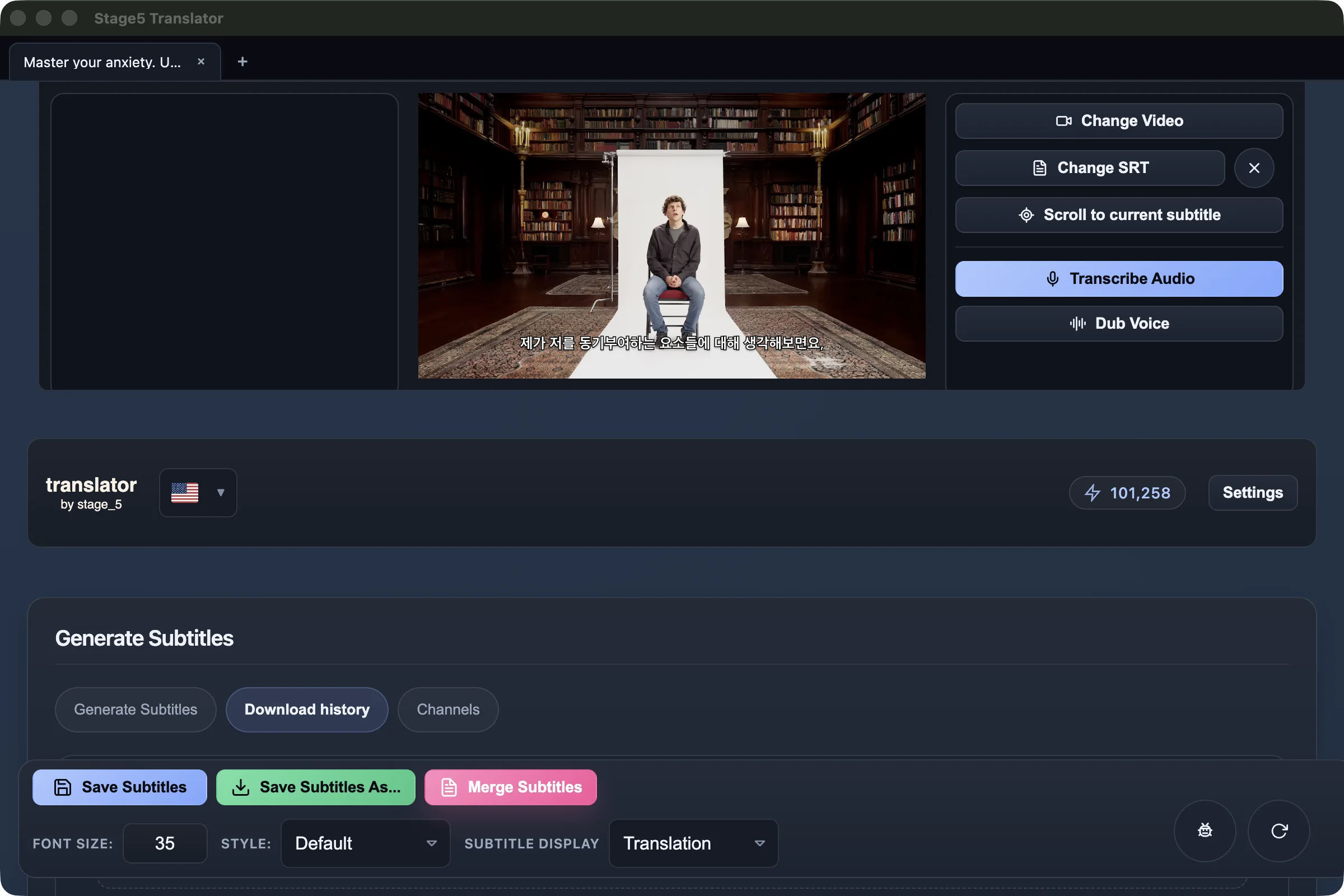
Translated subtitles appear inside the same workflow, so you can watch, review, and keep editing without bouncing between tools.
Good subtitle translation should help you follow the video naturally without forcing you to fight the subtitles.
Stage5 quality mode adds GPT-5.4 review
The default Stage5 path starts with GPT-5.1, and Quality mode adds a stronger GPT-5.4 review pass when you need better wording.
Bring your own OpenAI or Anthropic keys
Unlock BYO once, add your keys, and run translation on your own provider accounts instead of spending Stage5 credits.
Built for real subtitle work
Keep timing intact, review lines in context, and move straight into exports, dubbed versions, or more editing without starting over.
A simple path from source subtitles to a translated version you can actually use.
Start with subtitles you trust
Import an existing subtitle file or generate one from the source video so you are starting from something real.
Choose the language, quality, and billing mode
Pick the target language, decide whether you want the extra GPT-5.4 review pass, and run it on Stage5 credits or your own provider keys.
Review and turn it into output
Watch the translated result, polish what matters, and move into subtitled video exports or the next step in the workflow.
Translate into these languages
Translate into the same broad set of languages the app supports, not just the few routes that already have dedicated detail pages.
Need the steps around translation too?
Bring in cleaner subtitles first, or start from a URL if the video is not on your machine yet.
Download Translator and turn subtitles into something you can actually watch in your own language.
Translate the video, review it in context, and keep going to dubbed or subtitled outputs without leaving the workflow.
AI translation uses credits. Free tools remain free.