Find videos your YouTube algorithm would never surface.
Most video tools begin after you already have the link. Translator helps you describe what you want in your own language, pull in videos from other language worlds, and keep going once you find something worth keeping.
- Search in your own language and pull in foreign-language videos
- Keep exploring with follow-ups instead of starting from scratch
- Open, download, subtitle, dub, or export from the same workflow
Downloading and subtitle editing are free. AI features use credits only when you run them.
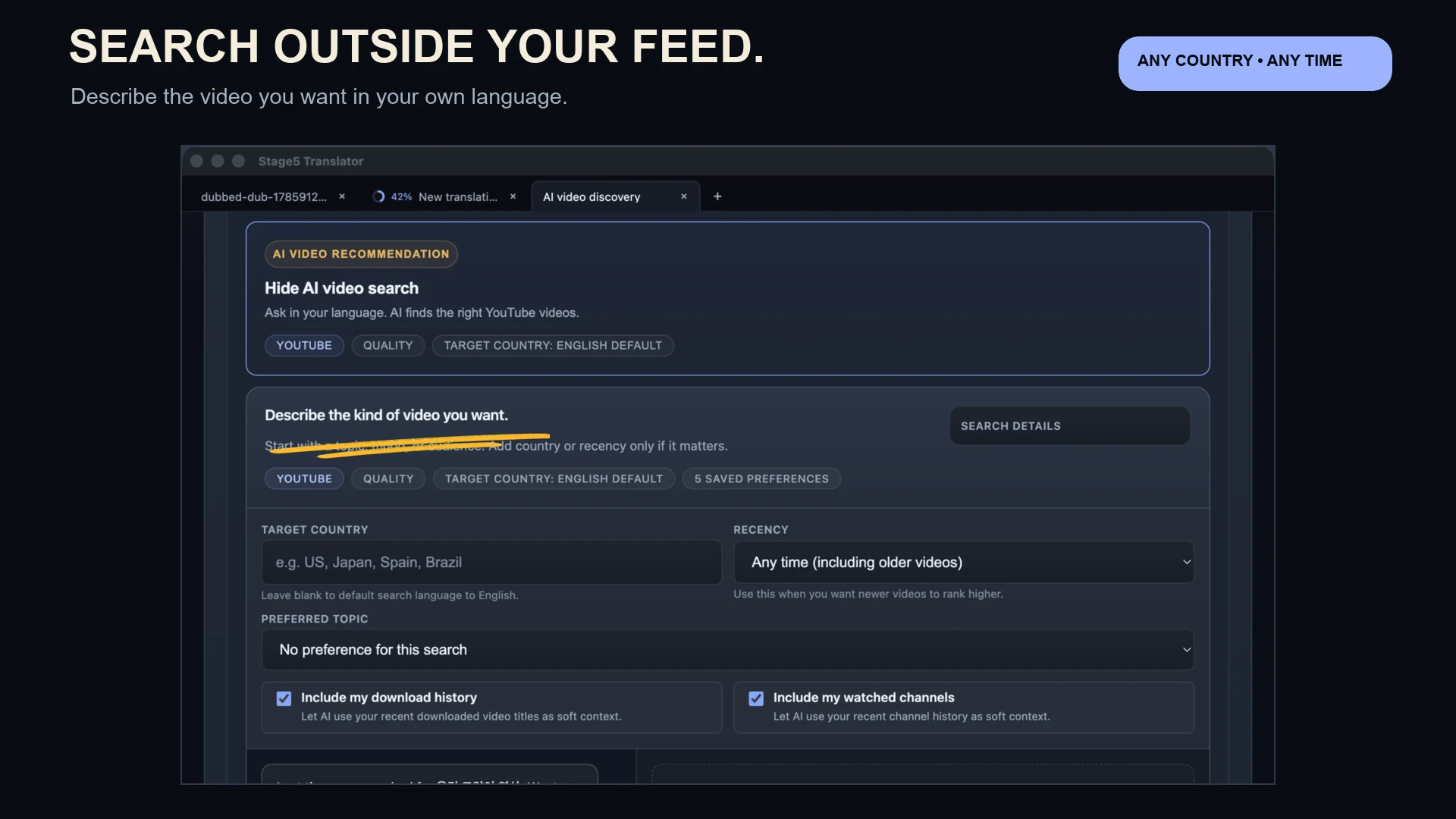
Describe the kind of video you want, then keep searching deeper until you find the channel or clip worth keeping.
Discovery stops being a dead end and becomes the first step in the workflow.
Find across languages, not just across keywords
Search in the language you think in and surface creators, channels, and formats that usually stay trapped inside another audience's feed.
Judge the video before you commit to the work
Open promising results, watch with translated subtitles, and decide what is actually worth saving, dubbing, clipping, or exporting.
Keep the good finds moving
Downloaded videos land inside the same app, so the handoff into subtitles, dubbing, highlights, or finished exports feels immediate instead of broken.
A better discovery loop for foreign-language video.
Describe what you want
Start with a topic, creator type, audience, mood, or country in your own language instead of guessing exact titles or keywords.
Search deeper, not wider
Use follow-ups and search-more results to keep pushing into adjacent channels and recommendations instead of restarting from zero.
Turn the right result into work
Once you find the right video, download it, watch it in your own language, and move straight into subtitles, dubbing, or export.
Use it to find videos you would have missed, watch them in your own language, and keep the good ones moving when you want more than just viewing.
Find videos you would not have found on your own
Search in your own language and reach creators, channels, and topics that usually stay trapped inside another language ecosystem.
Know quickly whether a video is worth keeping
Open it, watch it with translated subtitles, and decide whether it is worth saving, dubbing, clipping, or exporting.
Keep moving when you find something good
Download the video and turn it into a subtitled or dubbed version without switching to a different toolchain.
Want to keep going once you find the right video?
Translator is strongest when discovery flows directly into translated viewing and finished outputs.
Download Translator and start finding videos outside your usual feed.
Use discovery as the front door, then keep the best videos moving through the rest of the workflow.
Downloading and subtitle editing are free. AI features use credits only when you run them.