Free video downloader for YouTube and more
Translator makes it easy to download videos from a URL, save them in high quality, and jump straight into subtitle editing or AI translation.
- Paste a URL and move straight into watching, subtitles, or translation
- Choose the quality that fits your workflow instead of taking whatever you get
- Treat downloading as the first step, not a separate detour
Download free. AI features (transcription, translation, summary, dubbing) use credits.
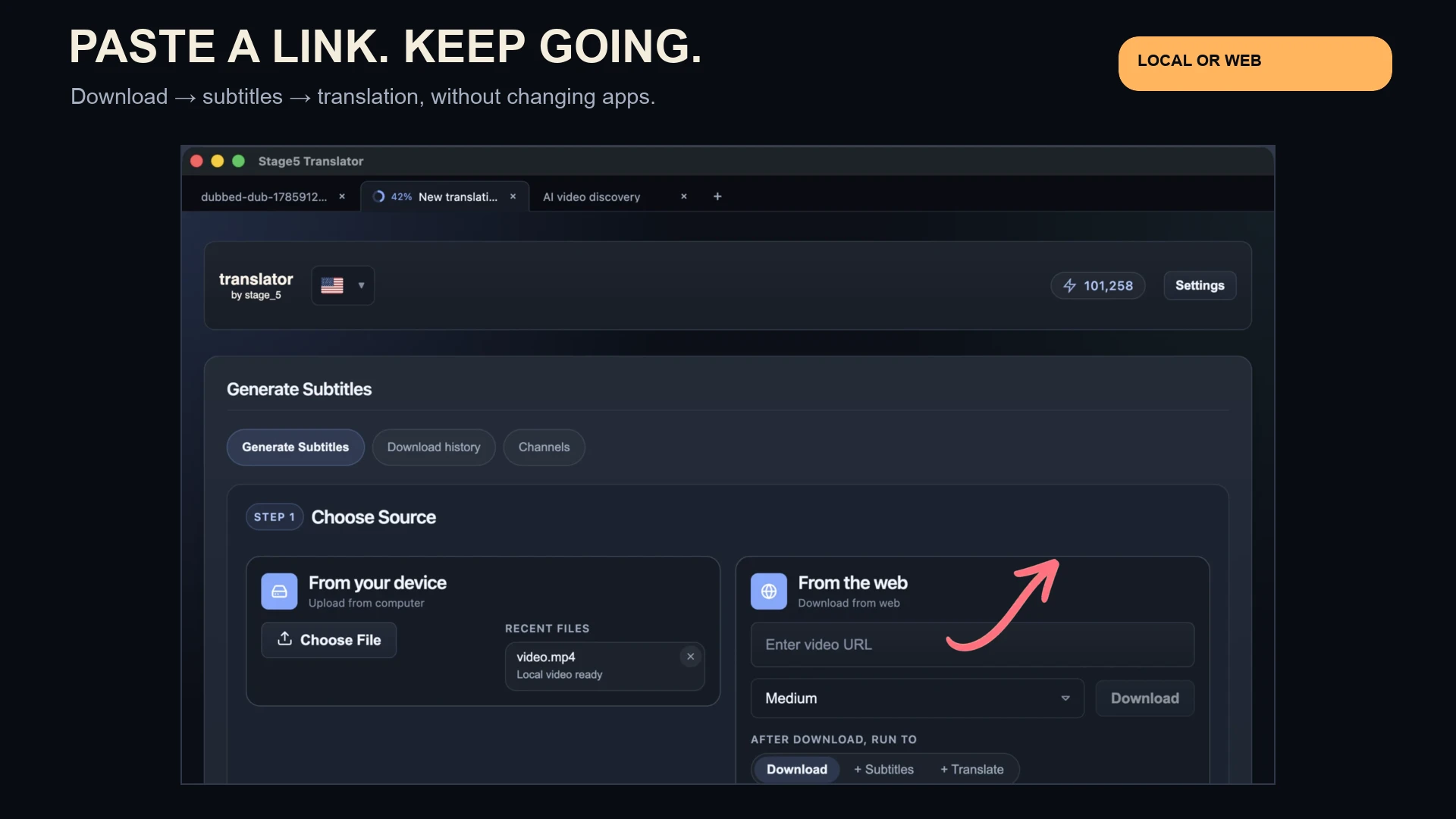
The downloader matters because it gets the source into the same workflow where you will watch it, subtitle it, translate it, or dub it.
The downloader is here to get you to the next step faster, not to trap you in a standalone utility.
Paste a URL, get a clean file
Grab a video from YouTube or other popular platforms with a single link.
Choose the quality you need
Pick from available resolutions and audio options for faster subtitle work.
Ready for subtitles immediately
Download MP4 files optimized for editing, translation, and export.
Bring the video in, choose the version you need, and keep going.
Paste the video URL
Start from the link instead of doing extra prep outside the app.
Choose the right quality
Pick the resolution or audio-only option that makes the most sense for transcription, subtitle work, or export.
Move directly into the next task
Open the file in the same workflow and continue with subtitles, translation, dubbing, or finished exports.
Supported platforms
Download from YouTube and other popular platforms that allow direct URL-based downloads.
- • YouTube
- • Other major platforms (availability varies)
Quality options
Choose the resolution that best fits your workflow, from quick drafts to high-quality exports.
- • Multiple resolutions when available
- • Audio-only exports for transcription
Watch Ferran Adrià's Wild Project interview with English subtitles
See how the downloader fits into a real workflow: download this Spanish-language interview, add translated subtitles, and watch one of the best food conversations on YouTube.
Want to do more once the file is inside the app?
The downloader is strongest when it hands off directly into subtitle editing or translation instead of ending the workflow.
Download Translator and turn video intake into the first step of the real workflow.
Pull the video in from a URL, then keep going without switching to another app for subtitles, translation, or export.
Download free. AI features (transcription, translation, summary, dubbing) use credits.