Free subtitle editor for SRT
Clean up subtitles, sync timing, and merge tracks in one place. Translator is the subtitle editor built for modern video teams.
- Adjust timing while staying close to the video
- Merge, clean, and polish tracks in one workflow
- Keep editing connected to translation and final exports
Subtitle editing is free. AI features are optional and credit-based.
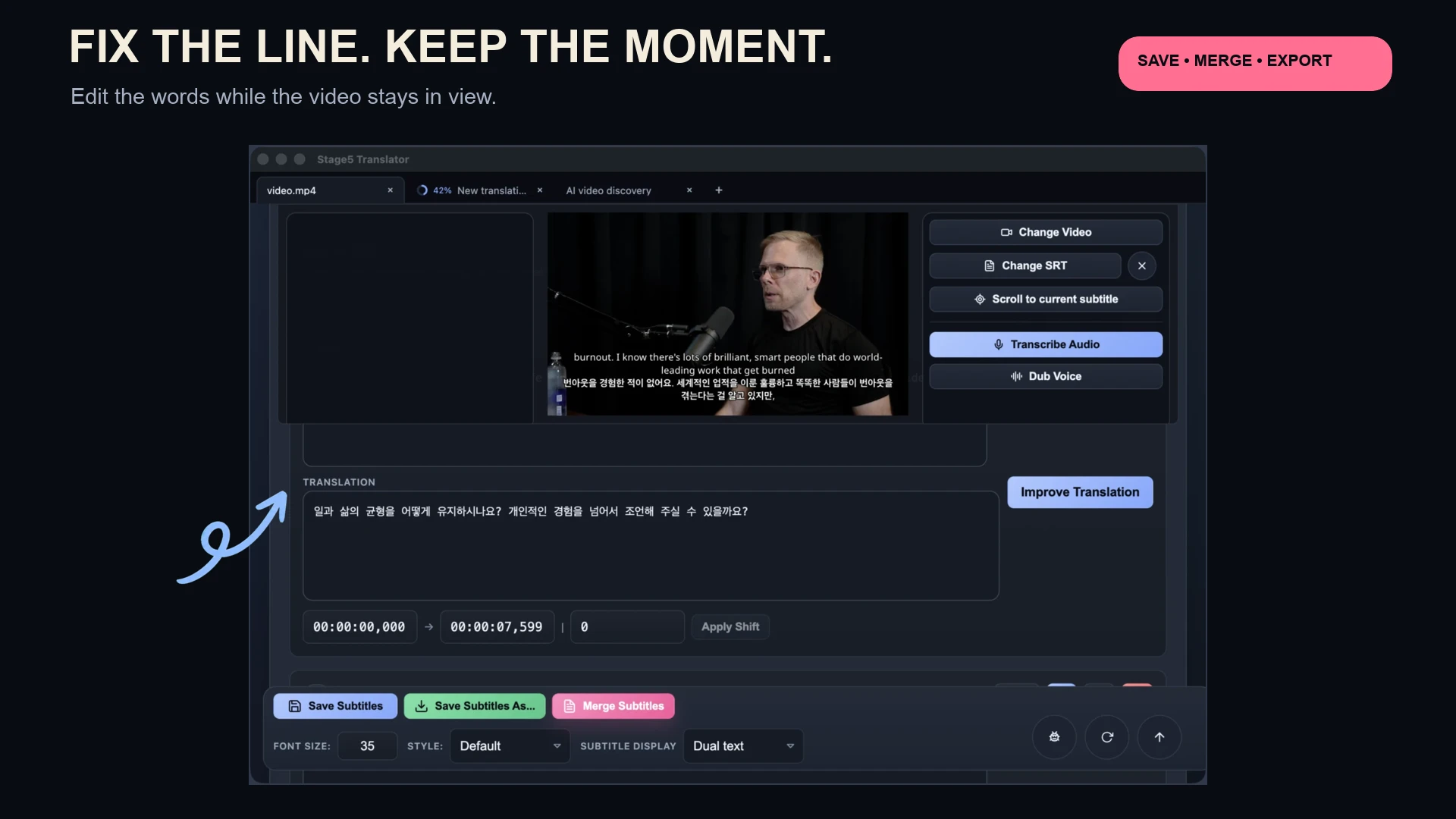
Subtitle work is easier when the video, the lines, and the next steps stay in the same place instead of getting split across separate tools.
The subtitle editor is built for getting to a cleaner final result, not just moving text around.
Timeline precision
Adjust subtitle timing with millisecond timecode controls for precise sync.
Merge and clean tracks
Combine multiple subtitle files into a single polished track.
Edit popular formats
Import and export SRT with confidence.
Clean, sync, and finish the subtitles without breaking the flow.
Bring in the subtitles or generate them
Start with an existing subtitle file or create one from the video so you have something concrete to work from.
Fix timing and clean the lines
Adjust sync, merge awkward fragments, and shape the text into something more readable while previewing against the video.
Export or move into the next step
Leave with cleaner subtitles, burn them into video, or pass them straight into translation without rebuilding the workflow.
Need the video first or want to keep going after editing?
Pull the source in from a URL, or use the cleaned subtitles as the foundation for translation and later outputs.
Download Translator and clean subtitles in the same place you watch, translate, and export.
Fix the lines, fix the timing, and keep moving without turning subtitle work into a second toolchain.
Subtitle editing is free. AI features are optional and credit-based.