KOREAN → ENGLISH
Translate Korean videos to English subtitles
Read Korean dialogue in English while you watch. Open the video or Korean subtitles in Translator, translate the lines, and check names, relationships and tone in the scene before exporting.
For Mac and Windows · Export SRT or a subtitled video
From Korean dialogue to English subtitles
- 01
Open your video or SRT
Use the subtitles you already have, or create a transcript from the video's speech.
- 02
Choose English
Select English as the subtitle language and start the translation.
- 03
Review and export
Check each line against the video, edit the wording, then save an SRT or export the video with subtitles.
See the subtitles in the video
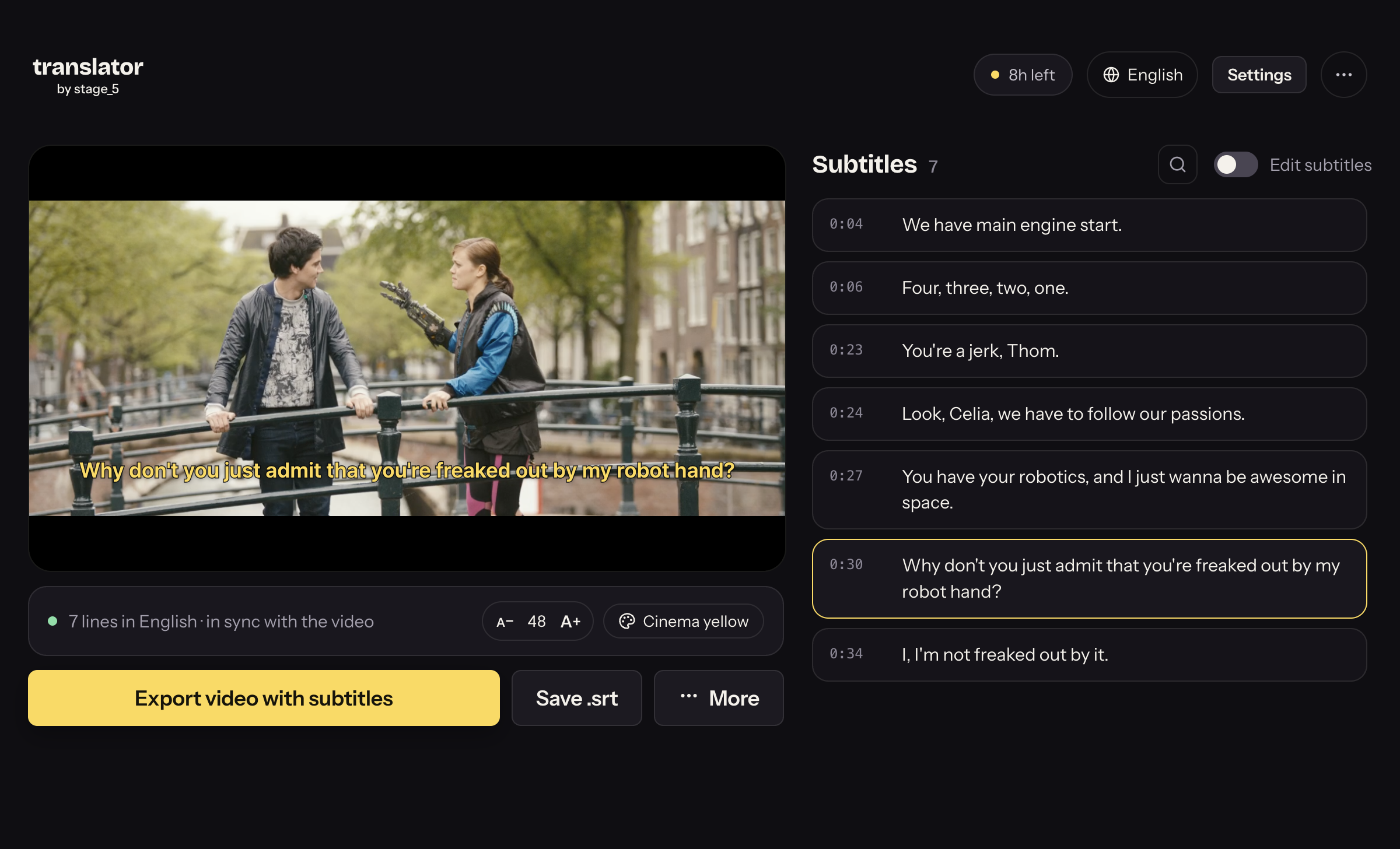
Try it with your video
Download Translator and start with a video or SRT file. The app is free to download; AI tasks may have a cost depending on the option you choose.
Questions about subtitle translation
How do I handle Korean honorifics and forms of address?
Review the relationship between speakers and the tone of the scene. A direct rendering of a title or kinship term may be awkward in English. Edit the subtitle to convey the intended meaning. You can also choose Korean as the target for another source language.
Can I translate an existing SRT file?
Yes. Open the SRT in Translator and translate its text without recreating the subtitles. The original timings are retained. Load the matching video to check the result before exporting.
What if my video has no subtitles?
Create subtitles from the speech first. Check the transcript for missing words and incorrect names, then translate it. Errors in the source transcript can carry into the translation.
Is subtitle translation free?
The app is free to download. AI tasks may have a cost: use Stage5 credits or connect your own AI service. Check the selected option in the app before starting a task.
Can I use Translator on my phone?
Translator is a desktop app for Mac and Windows. On a phone, use the send-yourself-the-link panel and open the download link on your computer.