DOWNLOAD + SUBTITLES
Download a YouTube video with subtitles in your language
Found a long lecture, interview or documentary in a language you only half follow? Translator saves the video to your computer, listens to it, and writes the subtitles in your language, even when the video has no subtitles of its own.
For Mac and Windows · Export SRT or a subtitled video
What you can do with it
Videos without subtitles
The app listens to the speech and writes every line, so it does not depend on the uploader's captions.
Long videos
Full lectures, podcasts and films work the same way as short clips. You can start watching the first part while the rest is prepared.
Keep the result
Save the subtitles as an SRT file, or export a copy of the video with the subtitles on screen.
From a link to a video you can follow
- 01
Paste the link
Copy the video's address from YouTube or most other public video sites and paste it into Translator. Downloading is always free.
- 02
Choose your language
Pick one of 39 subtitle languages and press the Translate button. Translator writes the subtitles and translates them.
- 03
Watch or export
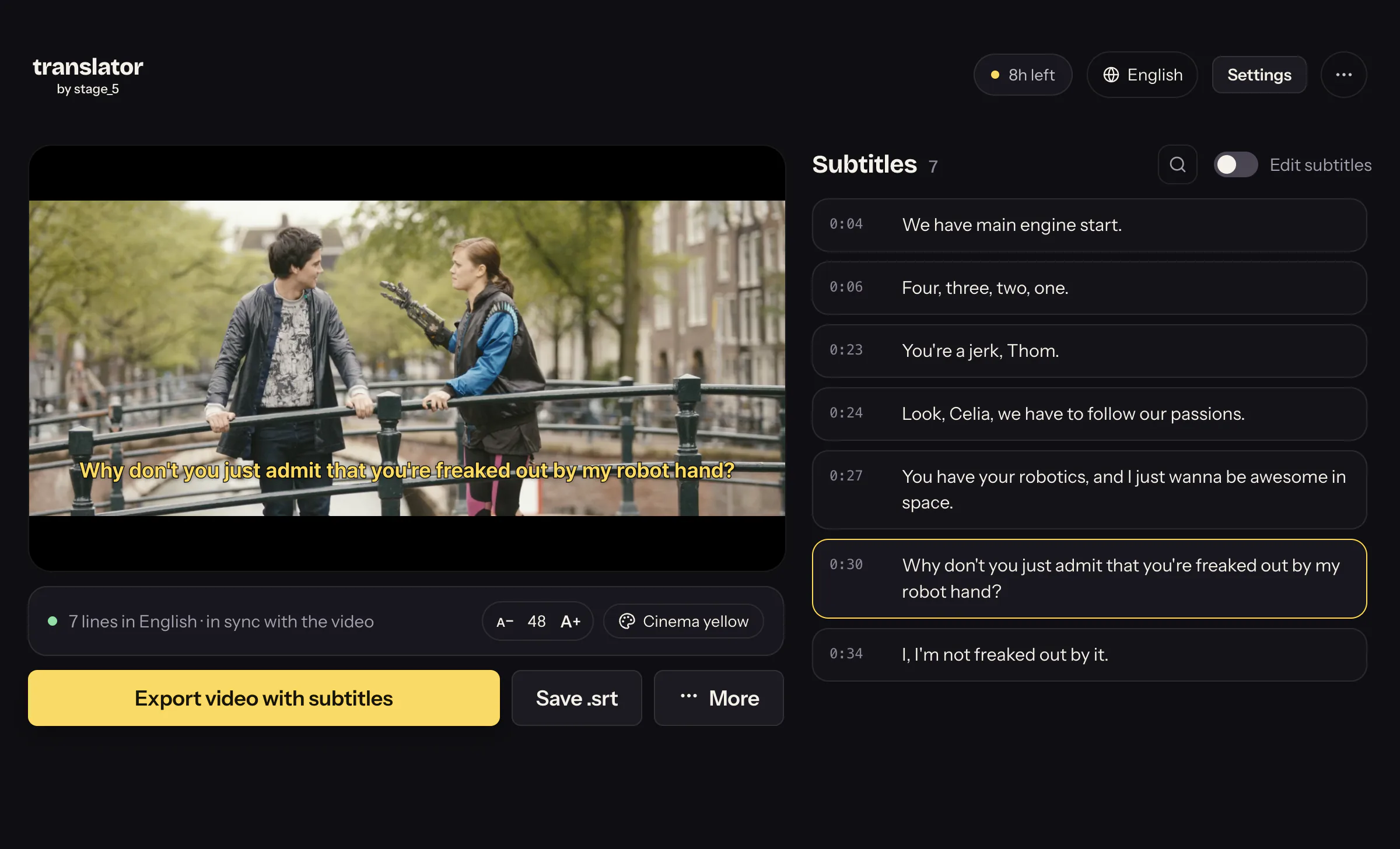
Watch with the subtitles in the app, fix any line you want, then save an SRT or a subtitled video.
See the subtitles in the video
Try it with your video
Download Translator and start with a video or SRT file. The app is free to download; AI tasks may have a cost depending on the option you choose.
Questions about downloading videos with subtitles
Is it free?
Downloading videos is free. Writing and translating subtitles uses AI minutes: a new install normally gets about 12 free minutes once, and after that you buy minutes as you need them, from US$1 for about 29 minutes. There is no subscription.
Does the video need to have subtitles already?
No. Translator creates the subtitles from the speech in the video, so it also works when the video has no captions or only automatic ones.
How much does a two-hour video cost?
The US$10 pack covers about 11 hours of video at the standard setting, so a two-hour film or lecture uses a small part of it. The app shows the cost for your video before it starts.
Can I keep the video with the subtitles on it?
Yes. Export a new video file with the subtitles on screen, or save the subtitles as an SRT file to use in any player.
Which sites does the downloader support?
YouTube and most public video sites. Services with copy protection, such as Netflix or Disney+, and private videos are not supported. Download only videos you have the right to save.
Does it work on a phone?
Translator is a desktop app for Mac and Windows. On a phone, send yourself the link and open it on your computer.